Charles Maher > 3D Design
Every design pictured here was created by me, usually in Autodesk Fusion or FreeCAD.
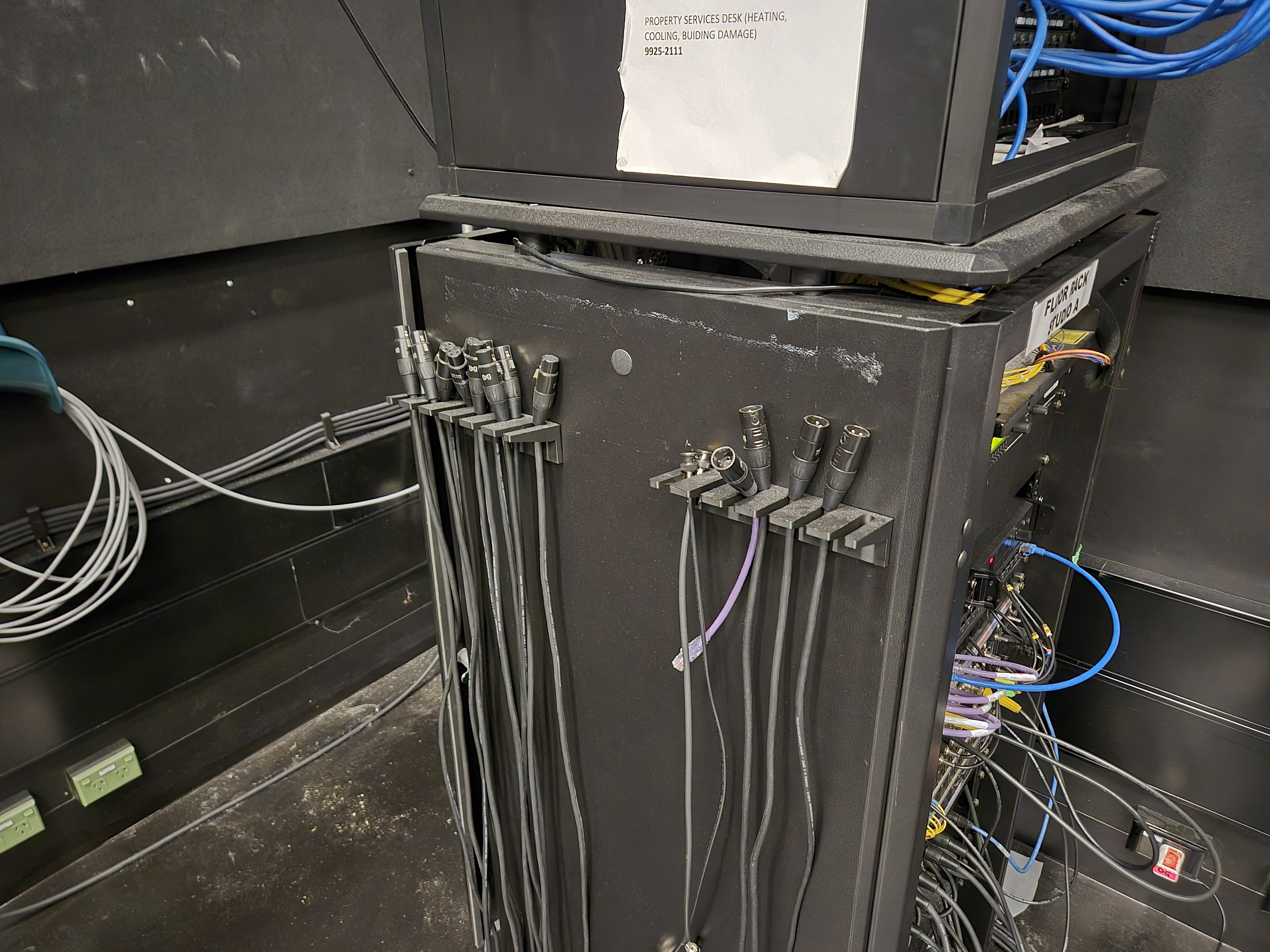
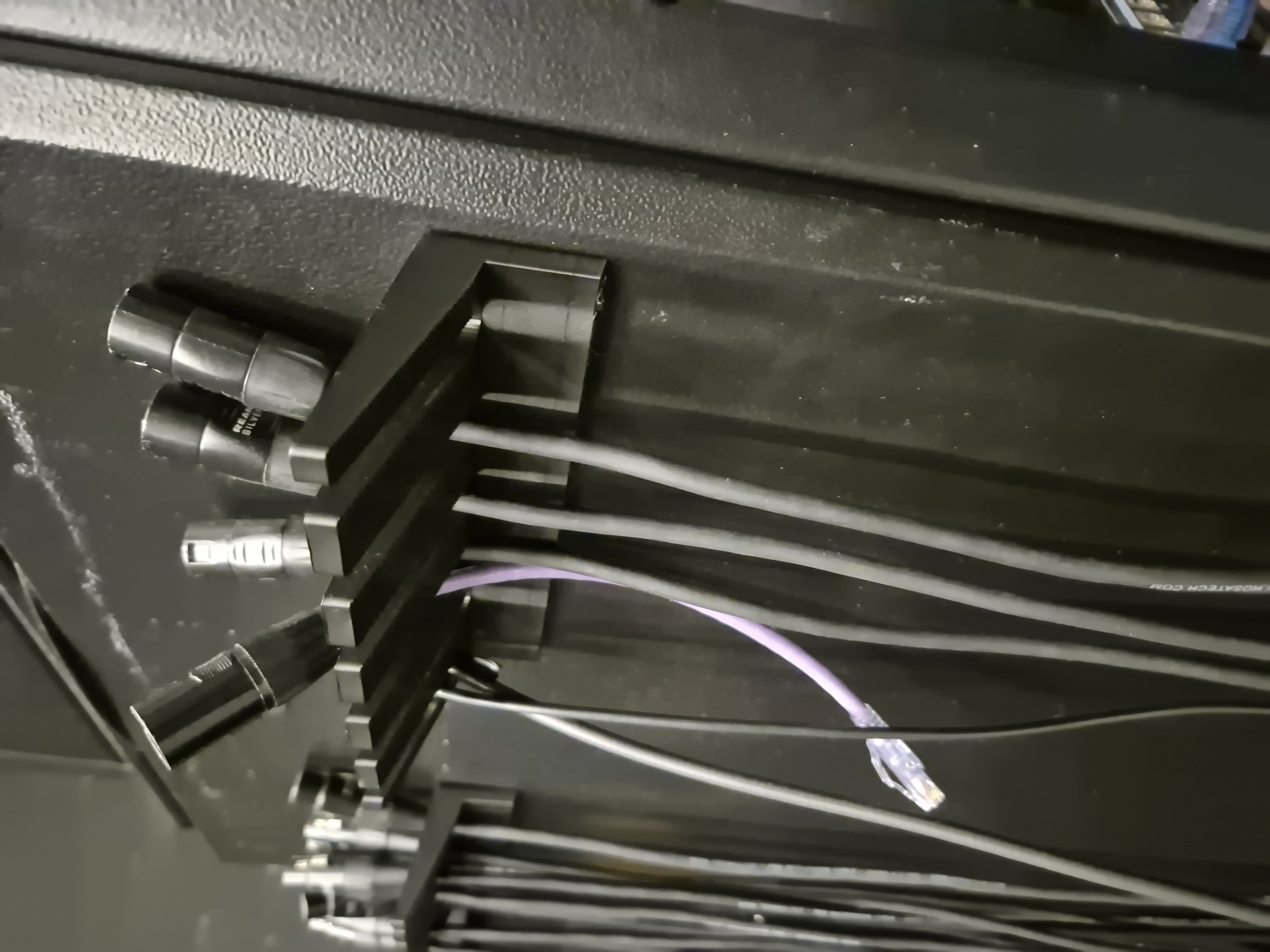
Cable Holder
These cable holders were the first project I designed for 3D printing, making use of the RMIT makerspace
located in Building 14 since it was before I had any 3D printer of my own.
They are designed specifically with XLR and BNC cables in mind, but have been able to fit most cables thrown their way since they were installed.
To me, the most important aspect of this 3D print is its modularity. I designed it to require no modifications to the rack's side panel. Since the panel already had removable door handles, I was able to reuse the rectangular holes as a mounting point.
This makes it fully reversible, removing them is as simple as pushing upwards from underneath.
Despite being printed in PLA, and only having two small clips holding them to the panel, they've lasted well over a year and a half without losing any strength.
They are designed specifically with XLR and BNC cables in mind, but have been able to fit most cables thrown their way since they were installed.
To me, the most important aspect of this 3D print is its modularity. I designed it to require no modifications to the rack's side panel. Since the panel already had removable door handles, I was able to reuse the rectangular holes as a mounting point.
This makes it fully reversible, removing them is as simple as pushing upwards from underneath.
Despite being printed in PLA, and only having two small clips holding them to the panel, they've lasted well over a year and a half without losing any strength.
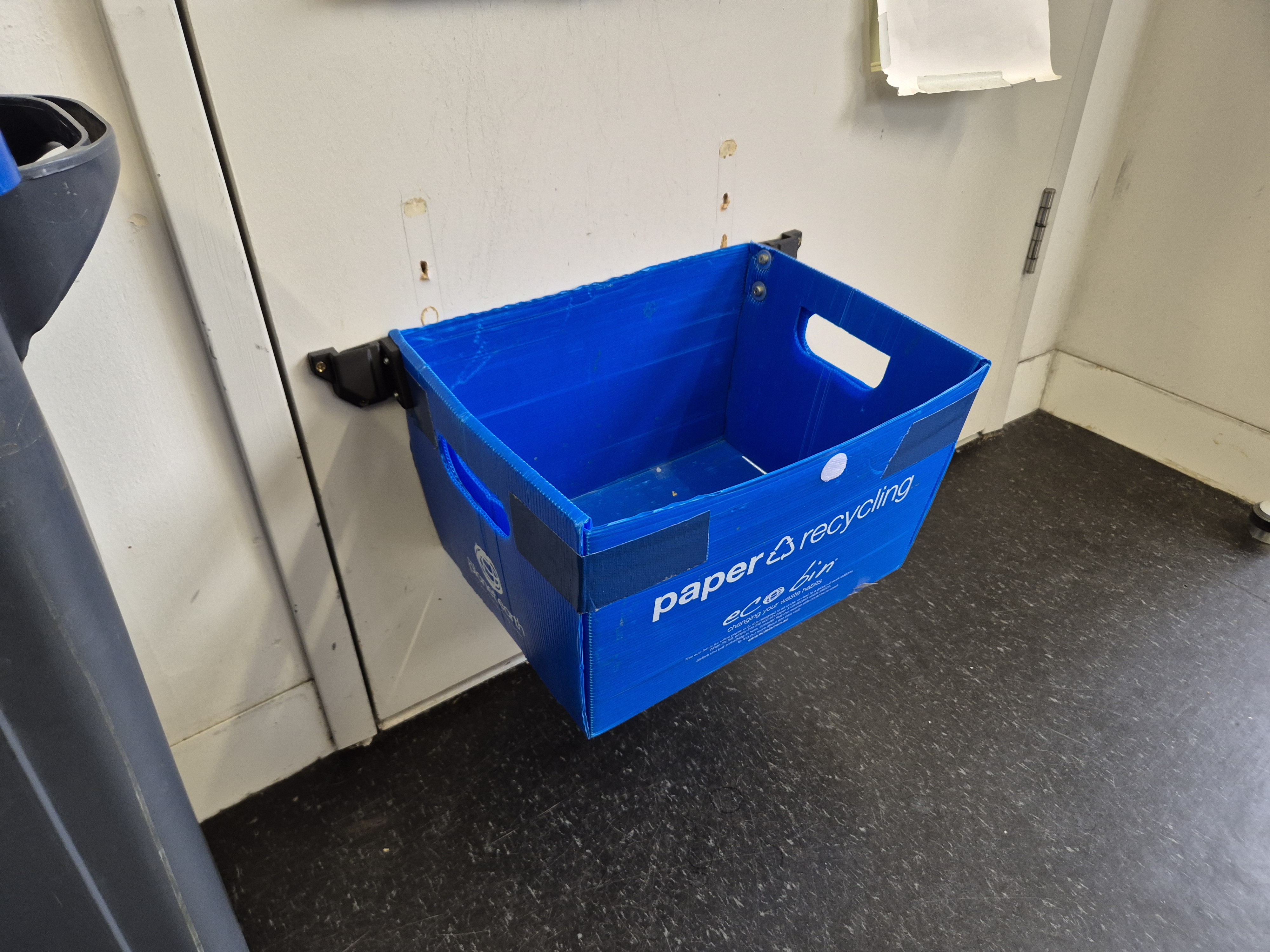
Bucket Holder
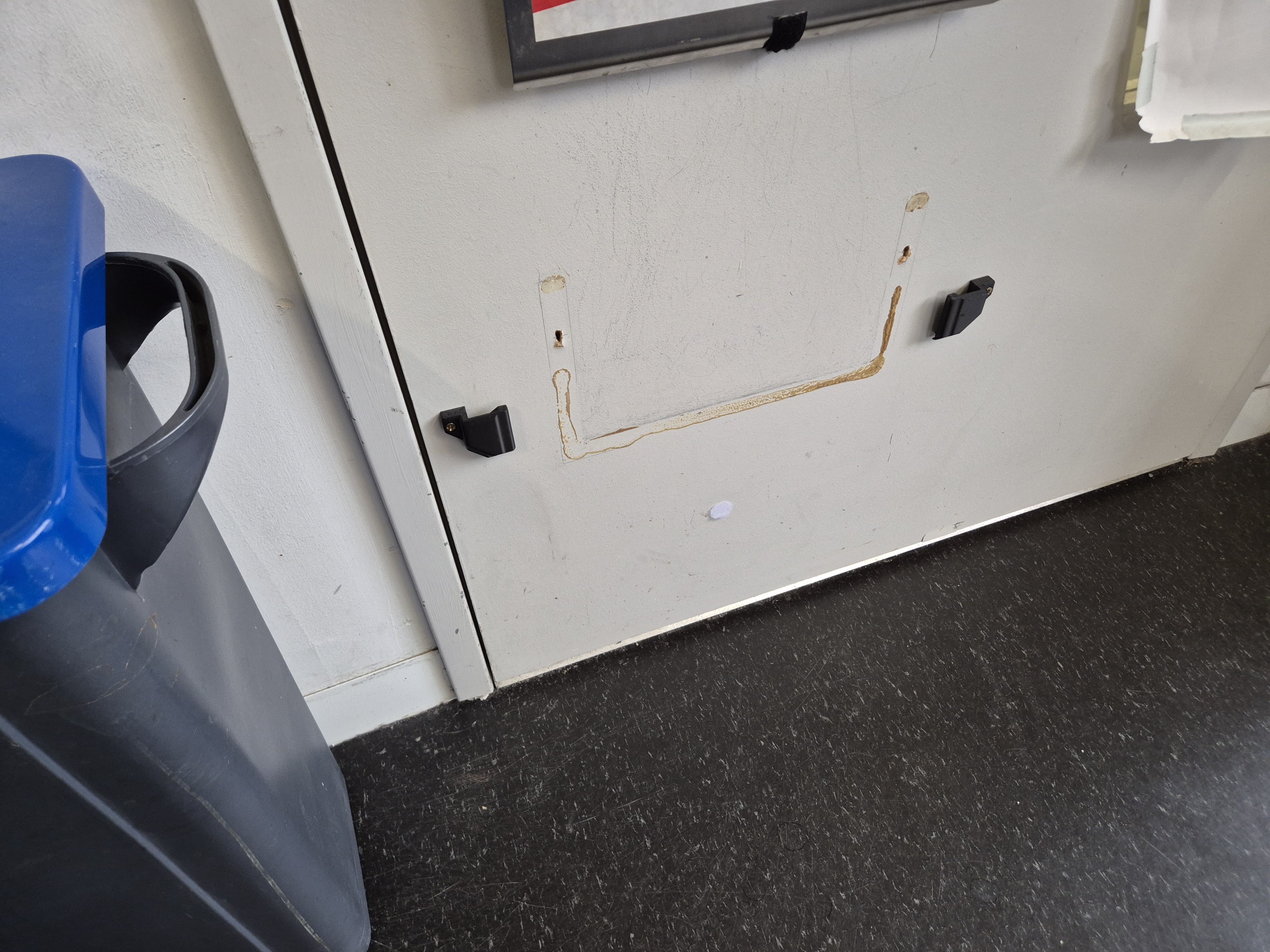
This was one of only two of my designs that required a permanent modification to install.
This bucket is used in the Building 9 loan store underneath the return slot to catch keys and Wacom pens that students return after-hours.
Before my 3D print, it was attached using only a velcro sticker, and slid along the ground whenever the door was opened.
The most important aspect of this print was ensuring the bucket could be easily removed without leaving anything jutting out from the door.
This bucket is used in the Building 9 loan store underneath the return slot to catch keys and Wacom pens that students return after-hours.
Before my 3D print, it was attached using only a velcro sticker, and slid along the ground whenever the door was opened.
The most important aspect of this print was ensuring the bucket could be easily removed without leaving anything jutting out from the door.
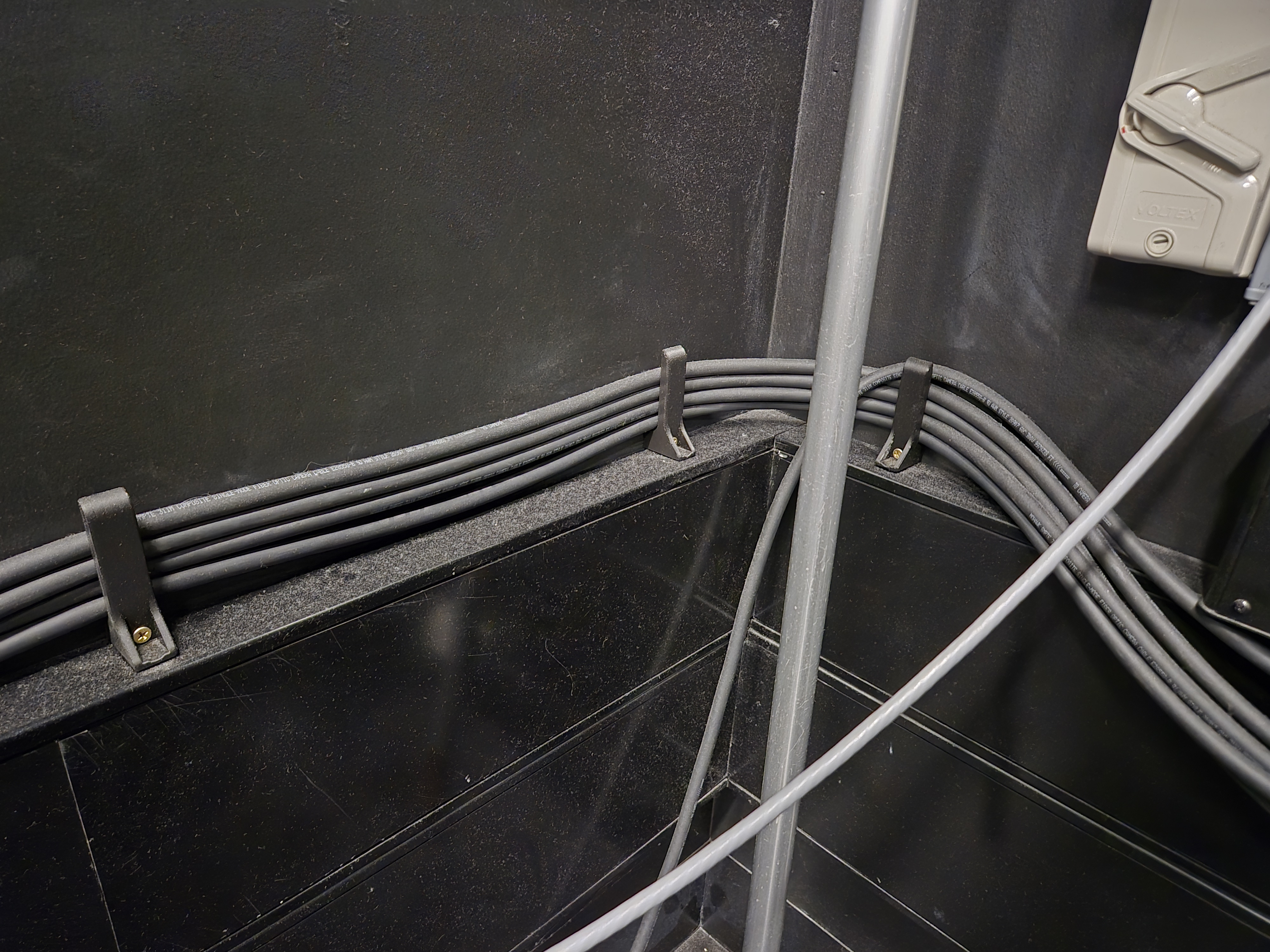
Cable Anchor
These cable anchors are designed to keep the camera cables tidy without making it difficult to reroute
them when necessary.
It's the only other design of mine that required permanent installation, unfortunately I couldn't come up with any other way to secure them to the wall.
It's the only other design of mine that required permanent installation, unfortunately I couldn't come up with any other way to secure them to the wall.
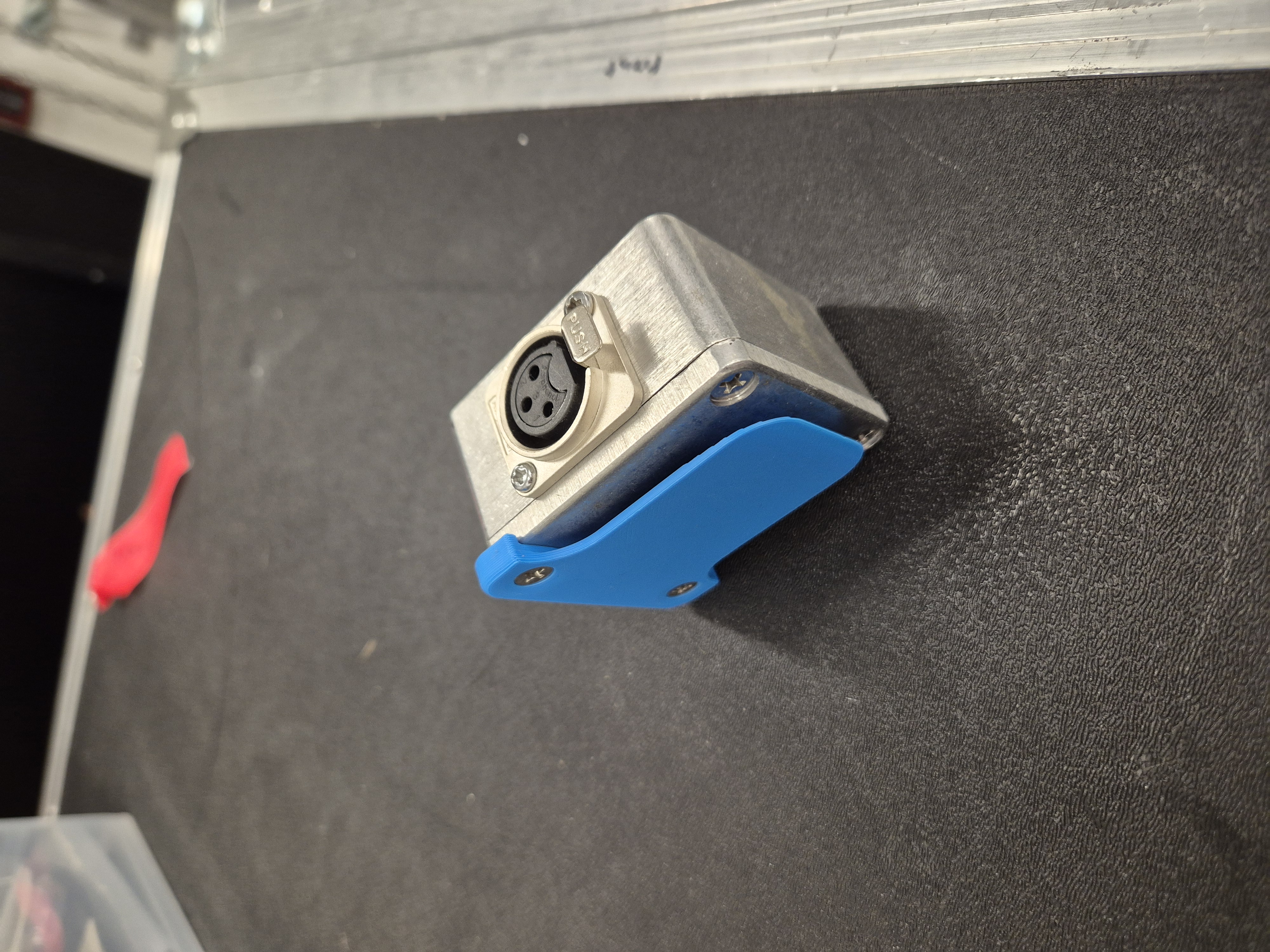
Cable Adapter Clip
This was a simple design to hold an XLR to 3.5mm adapter onto a loop of tape on the back of a chair
for live productions.
I was able to reuse the screws already in the box as a reversible way of securing the print.
I was able to reuse the screws already in the box as a reversible way of securing the print.
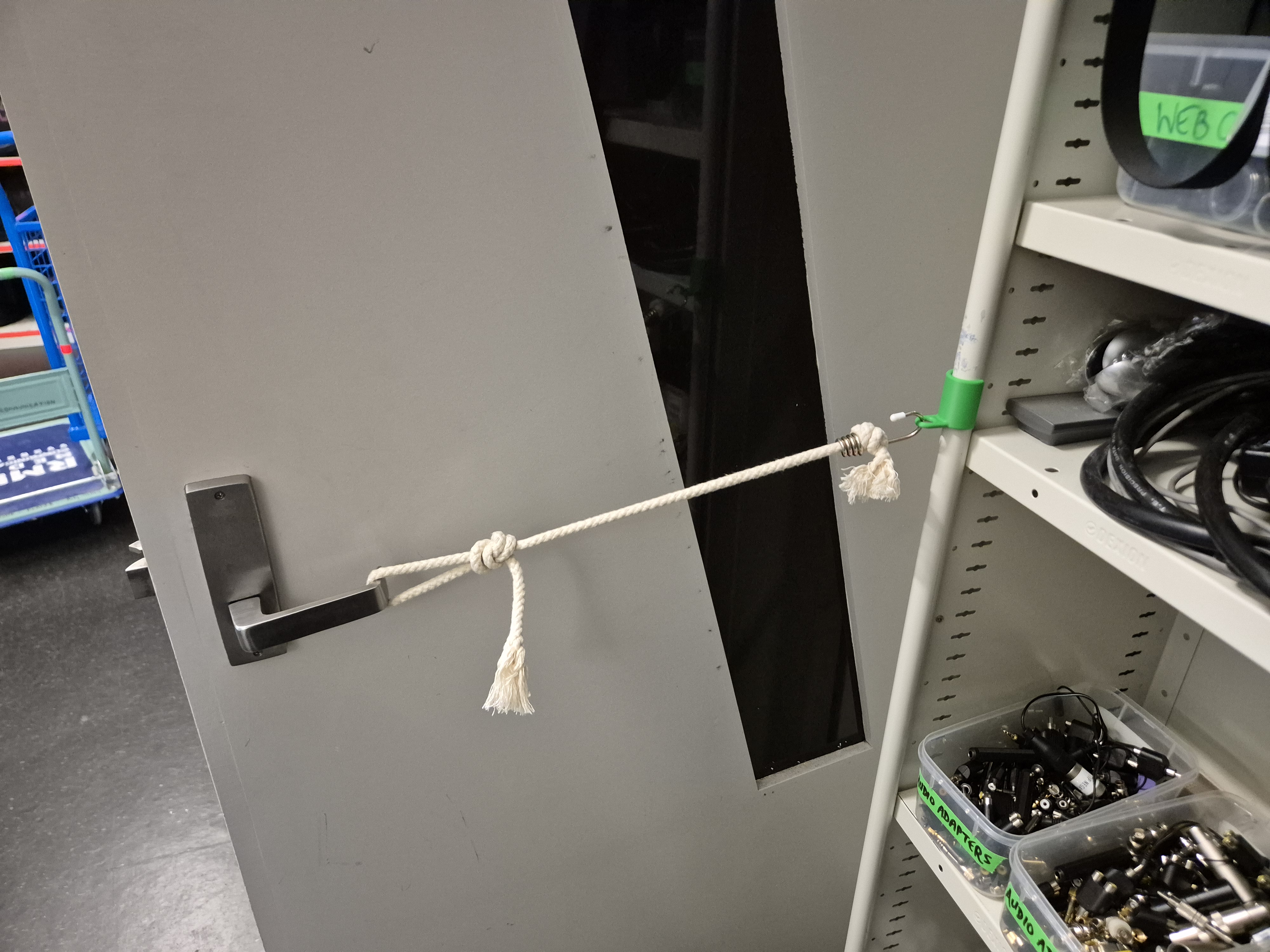
Safe Door Holder
This was a simple design, but required tuning the thickness of the part to be strong enough to hold
the door open, but not so strong it became a pain to put on.
The rope was already used to hold the door open, but being hooked directly into the shelf it had no way of releasing if someone pulled on the door.
The rope was already used to hold the door open, but being hooked directly into the shelf it had no way of releasing if someone pulled on the door.
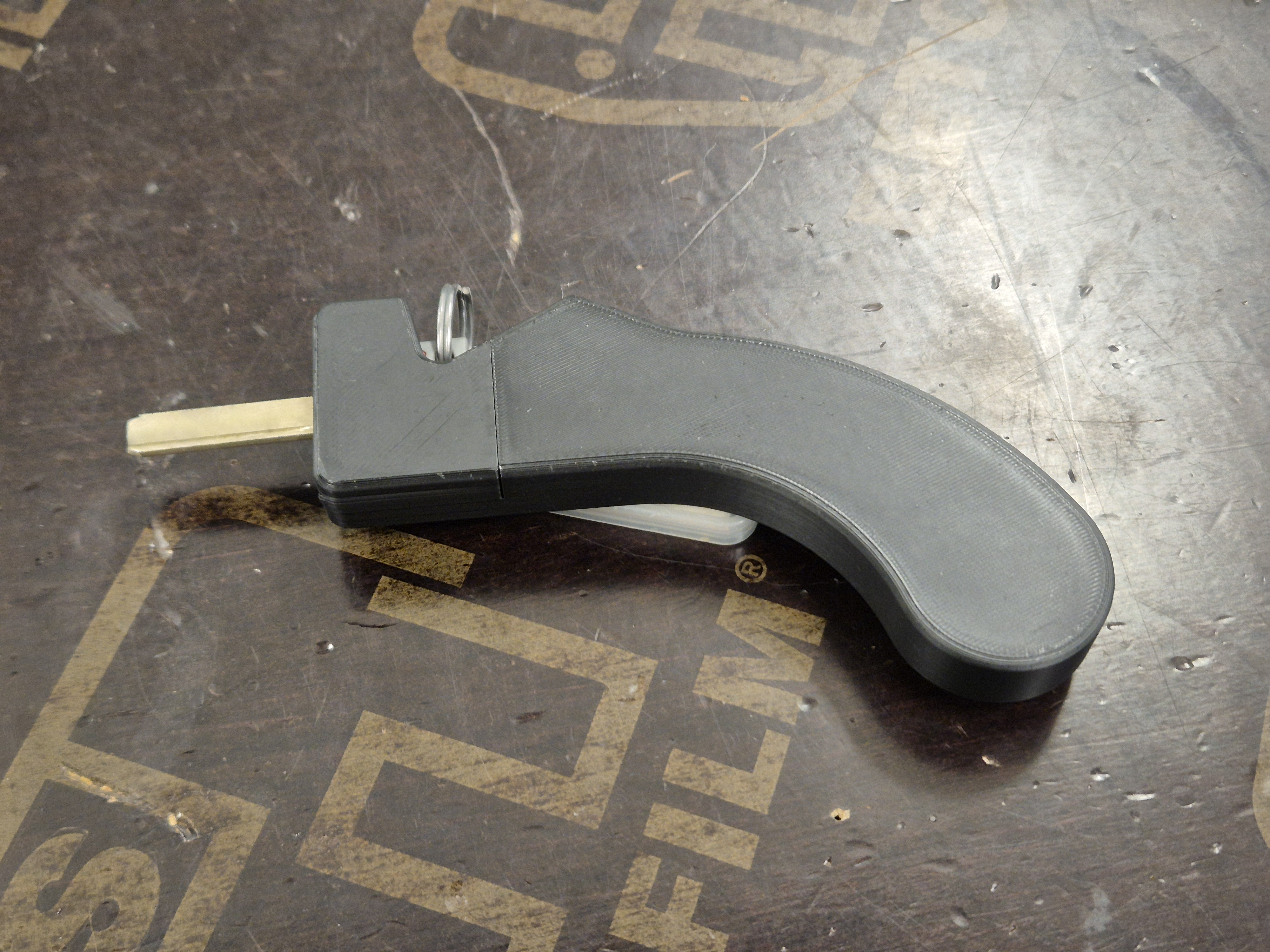
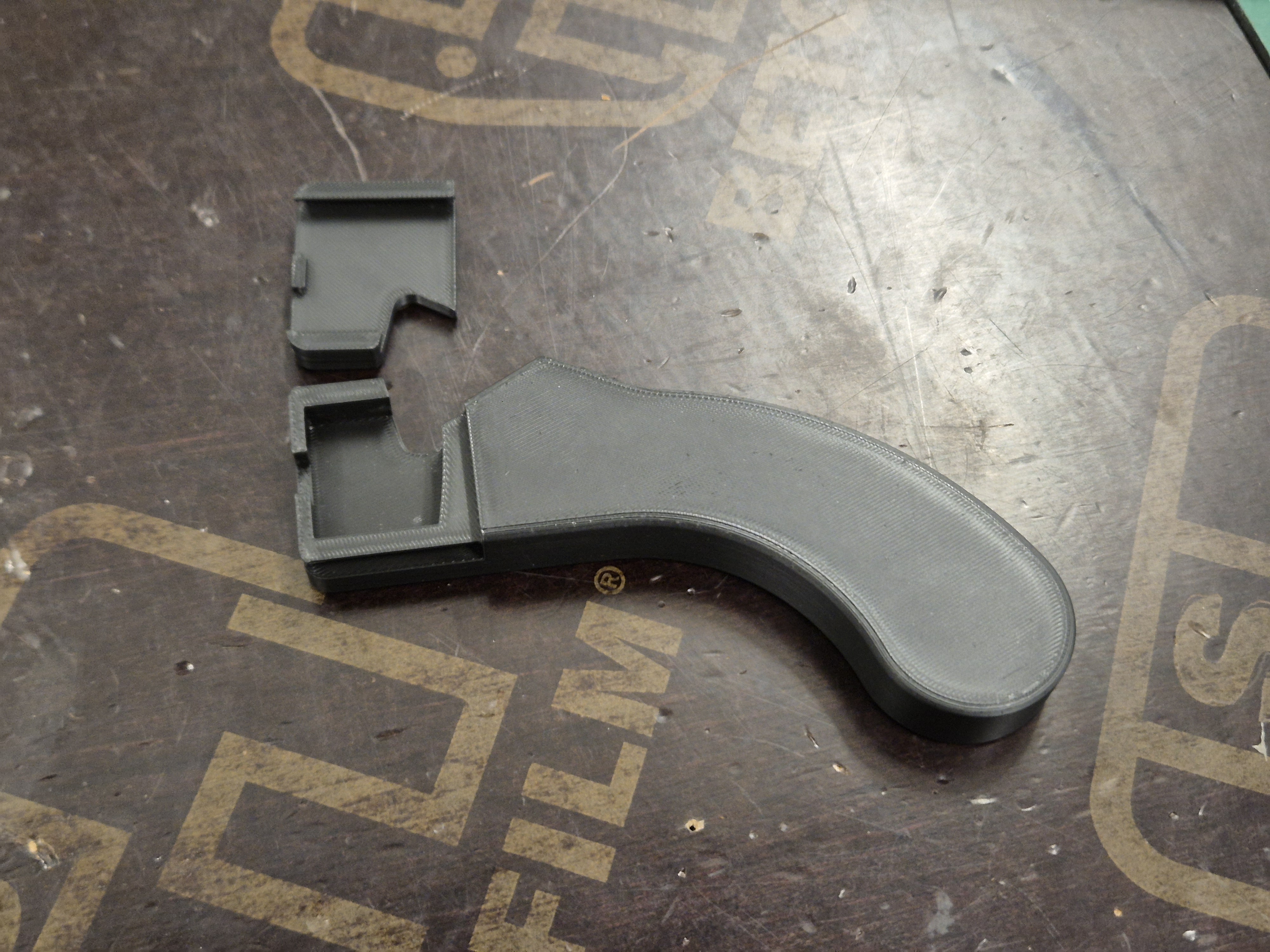
Key Handle
This is an accessibility tool for any students that struggle to unlock the edit suites in Building
9.
It's easy to swap out the key inside for any other of the same shape.
I created the design and started the 3D print in one afternoon because a student needed it the next day.
It's easy to swap out the key inside for any other of the same shape.
I created the design and started the 3D print in one afternoon because a student needed it the next day.
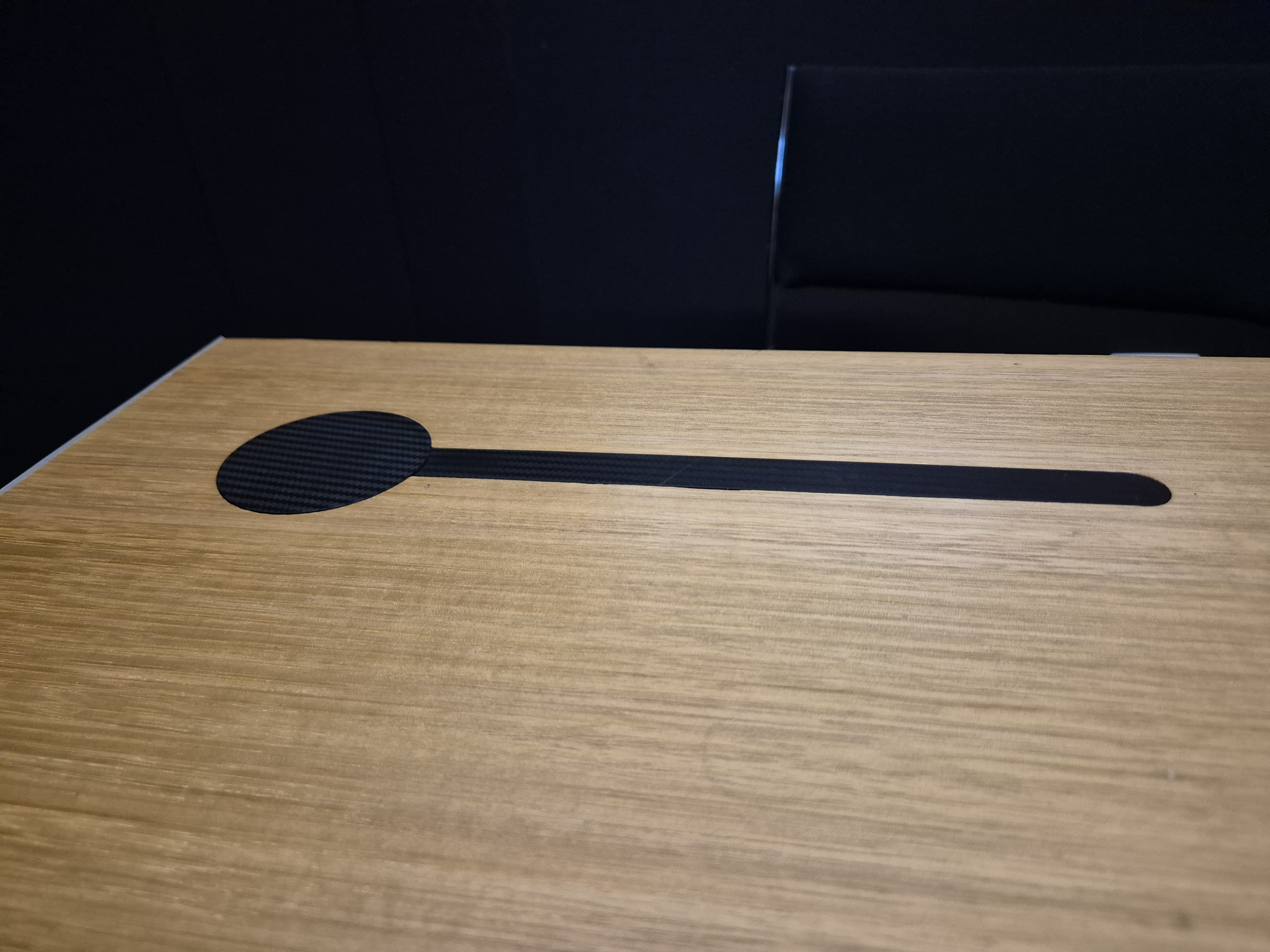
Table Filling
This desk was modified a particular setup, but needed to be reused.
There was a hole that needed to be filled in before it could be used again, so I took some measurements and a couple of reference photos.
The reference photo was invaluable, as the line is not quite perpendicular to the circle.
Ideally I would've printed this as one part, unfortunately the 3D printer I have at work (Bambu Lab A1 Mini) wasn't quite large enough to fit everything at once.
I decided the most aesthetic option would be to print a whole circle, then the line next to it, but I'm still not quite happy with how it turned out.
There was a hole that needed to be filled in before it could be used again, so I took some measurements and a couple of reference photos.
The reference photo was invaluable, as the line is not quite perpendicular to the circle.
Ideally I would've printed this as one part, unfortunately the 3D printer I have at work (Bambu Lab A1 Mini) wasn't quite large enough to fit everything at once.
I decided the most aesthetic option would be to print a whole circle, then the line next to it, but I'm still not quite happy with how it turned out.
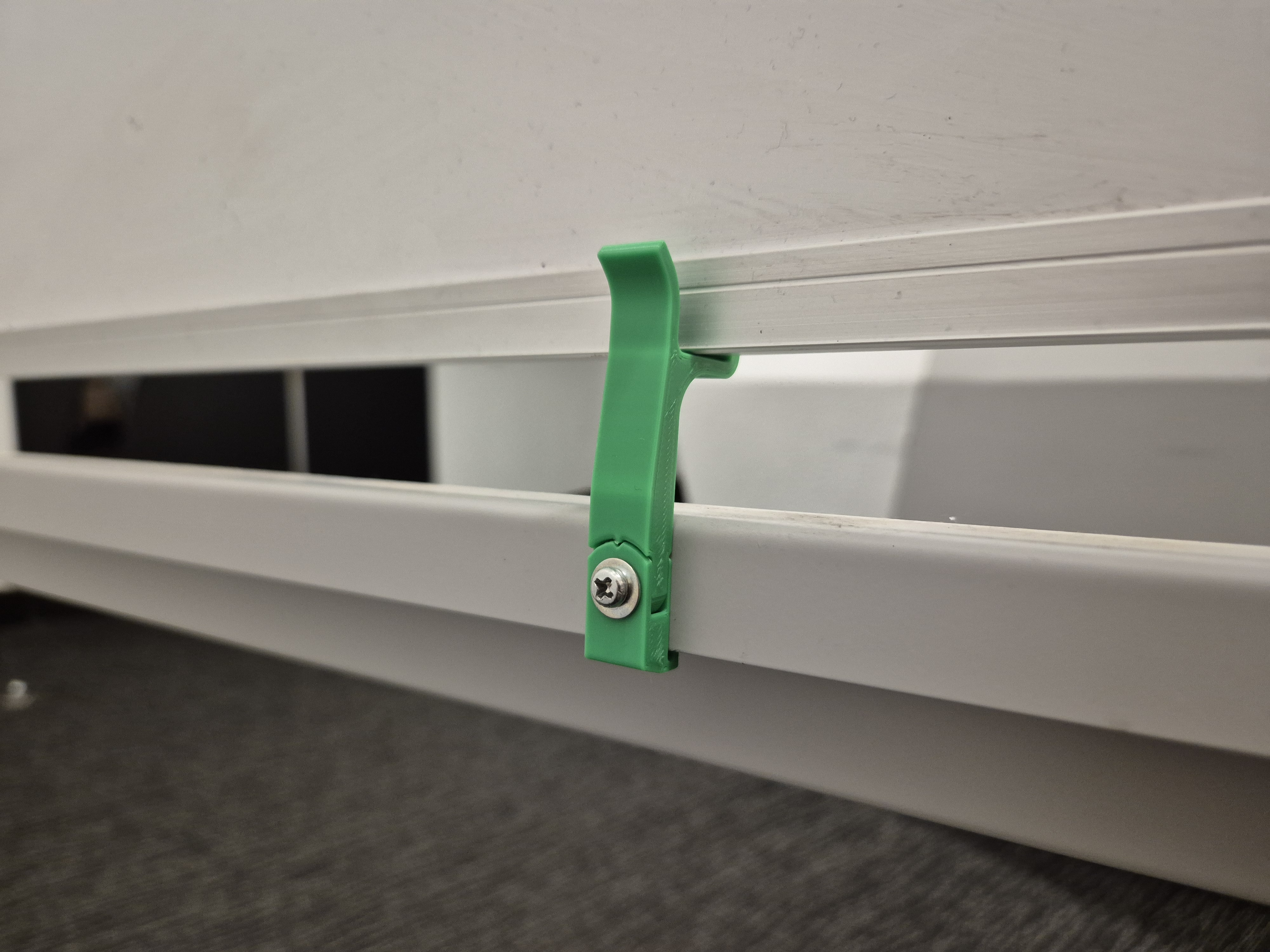
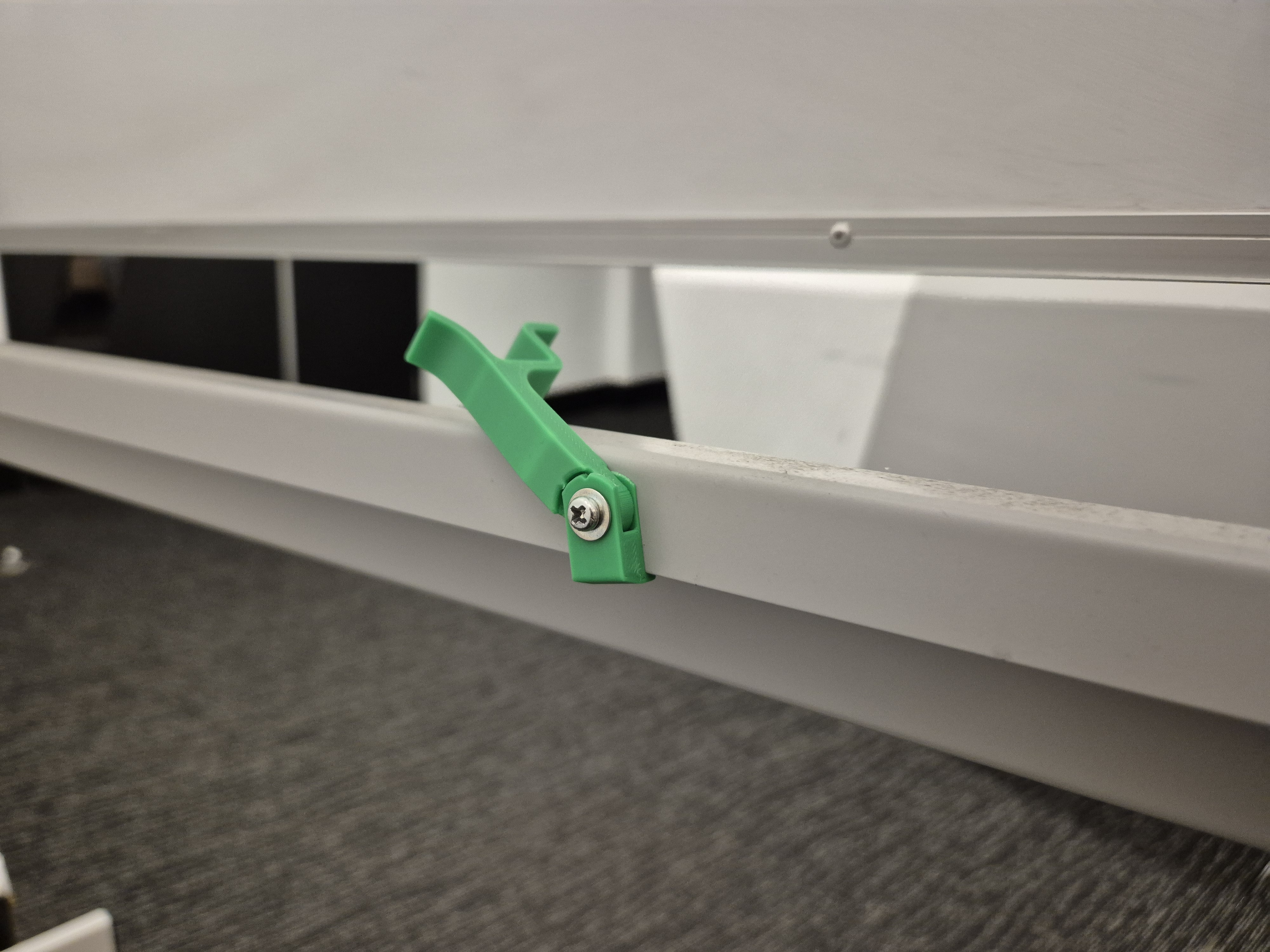
Whiteboard Holder
A lot of the whiteboard handles end up broken or unscrewed, and no one likes using an unstable whiteboard
so they often go unused.
This design took heavy inspiration from the stock whiteboard holders, but I also solved one of their biggest weaknesses.
I used a print-in-place design as a way to use the stock bolt for strength, but without applying the rotation that makes it come undone.
Unfortunately I don't think PLA is quite strong enough to last with this design, but I've been putting off redesigning it until they start breaking in regular use.
This design took heavy inspiration from the stock whiteboard holders, but I also solved one of their biggest weaknesses.
I used a print-in-place design as a way to use the stock bolt for strength, but without applying the rotation that makes it come undone.
Unfortunately I don't think PLA is quite strong enough to last with this design, but I've been putting off redesigning it until they start breaking in regular use.
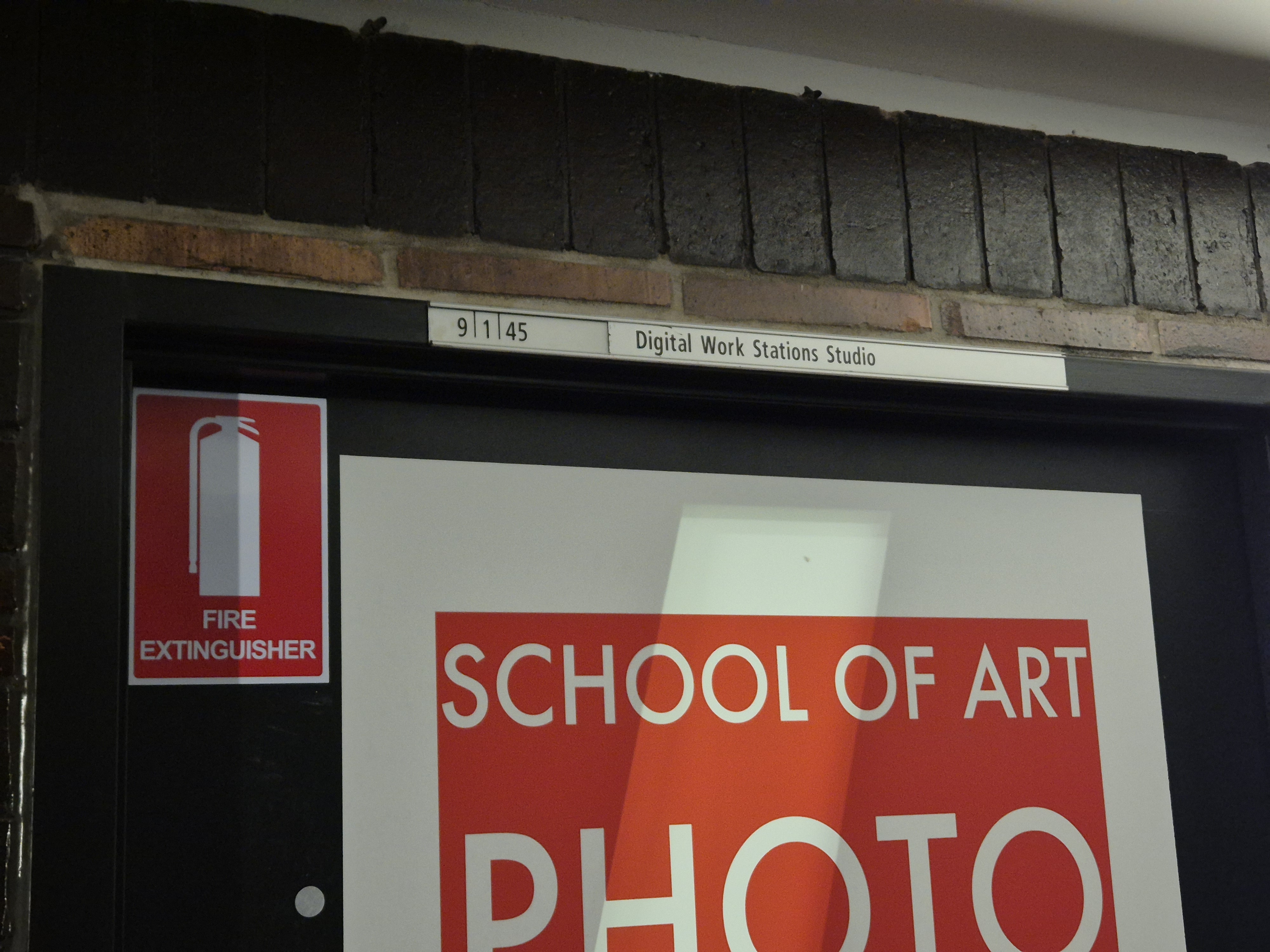
Door Signs
Of any 3D printing project, this has certainly taken the most time.
Creating a one-off sign is simple enough, but I've printed well over a dozen of these for staff names and room numbers.
It started with silver filament as the base, but no matter how much I tried I was never able to match the silver of the other signs.
The solution in retrospect is simple; use transparent filament. It's obviously not perfect, but after finding the right settings it's far closer than any silver filament I could find.
The model should've been simple, just text on a rectangle, but I wanted something better.
I wanted to create something that adjusted perfectly with just a few settings, but that required a CAD package with support for using the physical size of text as a parameter. Fusion, FreeCAD, and SOLIDWORKS, as far as I can tell, do not support that.
First I used OpenSCAD, which is cool software, but even the nightly builds feel fairly dated. I was able to create a few signs using it, and I still have the scripts around, but it didn't feel like I had the freedom to use it how I wanted.
Next was something unusual: Blender geometry nodes. It's certainly not a standard CAD workflow, but I got quite far with it. In the end I stopped using it because it was slow, on top of the nodes being hard to organize. I might reinvestigate now that Blender 5.0 has node closures.
That said, it would certainly be difficult to convince me to move away from build123d now. It's nearly everything I wanted. The algebra mode just makes sense to me, and the builder model is really powerful for a lot of scenarios. Code-based CAD is perhaps my favourite way to work, it may not match the simplicity of Fusion or FreeCAD, but for the right kinds of models there's nothing I'd rather use.
Creating a one-off sign is simple enough, but I've printed well over a dozen of these for staff names and room numbers.
It started with silver filament as the base, but no matter how much I tried I was never able to match the silver of the other signs.
The solution in retrospect is simple; use transparent filament. It's obviously not perfect, but after finding the right settings it's far closer than any silver filament I could find.
The model should've been simple, just text on a rectangle, but I wanted something better.
I wanted to create something that adjusted perfectly with just a few settings, but that required a CAD package with support for using the physical size of text as a parameter. Fusion, FreeCAD, and SOLIDWORKS, as far as I can tell, do not support that.
First I used OpenSCAD, which is cool software, but even the nightly builds feel fairly dated. I was able to create a few signs using it, and I still have the scripts around, but it didn't feel like I had the freedom to use it how I wanted.
Next was something unusual: Blender geometry nodes. It's certainly not a standard CAD workflow, but I got quite far with it. In the end I stopped using it because it was slow, on top of the nodes being hard to organize. I might reinvestigate now that Blender 5.0 has node closures.
That said, it would certainly be difficult to convince me to move away from build123d now. It's nearly everything I wanted. The algebra mode just makes sense to me, and the builder model is really powerful for a lot of scenarios. Code-based CAD is perhaps my favourite way to work, it may not match the simplicity of Fusion or FreeCAD, but for the right kinds of models there's nothing I'd rather use.